
Skills: Shared Knowledge Without Duplicated Instructions
Context Window Optimization
- Part 0: The Hidden Cost of MCPs and Custom Instructions on Your Context Window
- Part 1: Subagents: How Delegating Work Solves the Context Window Problem
- Part 2: Skills: Shared Knowledge Without Duplicated Instructions (you are here)
- Part 3: Coming soon
- Part 4: Coming soon
- Part 5: Coming soon
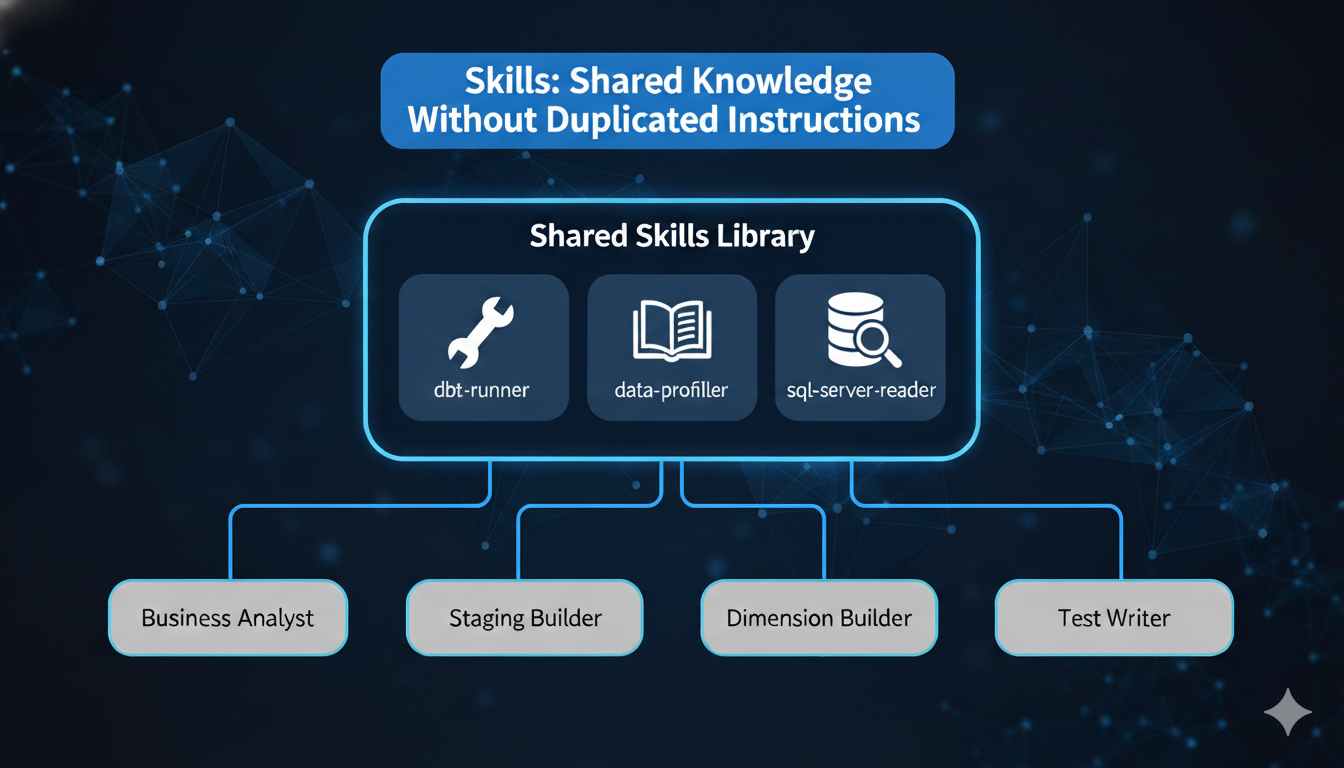
As I progressed with my project of building an automated data engineering solution, I got more and more frustrated that every time I tried to repeat a step the outcome could be totally different than the last time. I needed to tame the nondeterministic nature of LLMs and create a more consistent output and handover between agents. The business analyst agent should always profile the source data the same way. The test writer should always apply the same coverage rules. The fact builder should always generate surrogate keys using the same pattern.
The naive approach was to duplicate those shared instructions across every agent definition. My data-profiler skill, for example, contains the logic for detecting primary key candidates, calculating column statistics, identifying data quality issues, and recommending dbt tests. Without skills, that entire block would need to live inside the business analyst agent, staging builder agent, the test writer agent, and any other agent that needs to understand source data — repeated verbatim each time.
That duplication is both a token problem and a consistency problem. Update the profiling logic in one agent, forget to update it in another, and you get different results from the same data.
Skills solve this. They are on-demand instruction modules that any agent can invoke when needed. Define the profiling logic once as a skill, reference it from every agent that needs it, and the instructions load only when that agent actually profiles data — not at startup, not in every session, not duplicated across definitions.
This is Part 2 of the Context Window Optimization series, and it is about making specialized knowledge modular, consistent, and token-efficient.
ℹ️ Note: This is Part 2 of 6 in the “Context Window Optimization” series. While examples use Claude Code, the pattern of “on-demand knowledge loading” applies broadly to any agentic workflow where instruction overhead is a concern.
Quick Recap: Where We Are in the Series
Part 0 - Hidden Cost of MCPs and Custom Instructions on your context window established that a typical Claude Code session burns roughly 51% of the 200K token context window before any real work begins — MCP tools alone consume 16%, and memory files add another 2.7%. That cost multiplies across every project you work in.
Part 1 - Subagent - How delegating work solves the context window problem showed how subagents solve dynamic overhead — the tokens consumed by work in progress — by isolating verbose task output in separate context windows. Each specialized agent gets a narrow focus, reducing drift and hallucinations.
This post tackles static overhead from duplicated knowledge: the same instructions repeated across multiple agent definitions, bloating every session and drifting out of sync over time. Skills make that knowledge modular and on-demand.
What Are Skills?
Skills are reusable instruction modules stored as markdown files. When a skill is invoked—either by you typing /skill-name or by Claude detecting relevance—its full content loads into context. Until then, only the skill’s description is present (a few dozen tokens), not the full instruction set.
Think of CLAUDE.md as a whiteboard always visible in the room. Skills are a filing cabinet: the labels are always readable, but you only pull out a folder when you actually need it. Skills are stored in .claude/skills/skill-name/SKILL.md (project-level) or ~/.claude/skills/skill-name/SKILL.md (user-level). Each skill has YAML frontmatter followed by instruction content, and can include supporting files like templates, examples, and scripts.
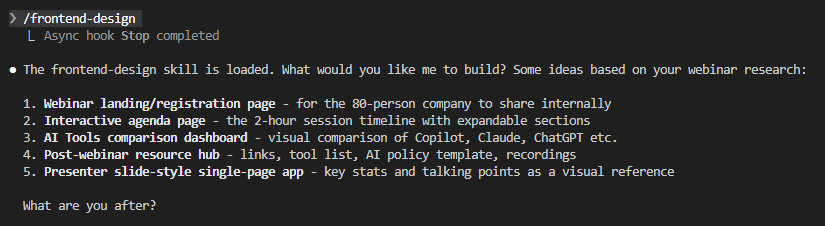
Here’s a different skill in action — /frontend-design loads its full instructions on invocation and responds with context-aware suggestions:
Skills vs. CLAUDE.md vs. Subagents
The three mechanisms solve different problems and complement each other:
| Feature | CLAUDE.md | Subagents | Skills |
|---|---|---|---|
| When loaded | At startup | When delegated | On demand |
| Context window | Main | Separate, isolated | Main, inline |
| Content in context | Always, fully loaded | Always, in own window | Only when invoked |
| Startup cost | Full file loads | Nothing until spawned | Description only (~40 tokens) |
| Reduces static overhead | No | No | Yes |
| Reduces dynamic overhead | No | Yes | No |
| Best for | Core project rules | Verbose builds, test runs | Shared knowledge, templates |
Subagents keep your context clean by isolating work output. Skills keep your context lean by loading knowledge only when relevant.
Anatomy of a Skill File
A skill lives in its own directory with SKILL.md as the required entrypoint:
.claude/skills/
└── data-profiler/
    ├── SKILL.md           # Main instructions (required)
    └── scripts/
        └── profile_data.py    # Profiling script
Notice the scripts/ directory. Skills go beyond shared instructions — they can bundle executable code. My data-profiler skill includes a Python script (profile_data.py) that every agent calls through Bash — same script, same parameters, same output format every time. The LLM doesn’t interpret profiling instructions and hope for consistency; it runs the script and gets deterministic results. The SKILL.md tells the agent when and why to profile; the script handles the how.
---
name: data-profiler
description: >
  Automatically profile SQL Server tables and CSV files with
  intelligent analysis. Detects primary key candidates, infers
  data types from CSV data, calculates column statistics (nulls,
  cardinality, data types), identifies data quality issues, and
  recommends appropriate dbt tests. Use when exploring source
  data, creating staging models, or validating data quality
  before transformation.
disable-model-invocation: false
allowed-tools: Read, Write, Bash, Grep, Glob
---
- The
namefield becomes the/slash-command(defaults to directory name if omitted). - The
descriptionis what Claude reads to decide when to auto-invoke—write it precisely. allowed-toolsrestricts which tools Claude can use when the skill is active — this profiler needs:ReadandGrepfor source exploration,Bashto run the profiling script,Writeto save profile reports to disk.- No
Editsince it generates new files rather than modifying existing ones.
disable-model-invocationanduser-invocable(covered below) control who triggers the skill.
How Invocation Works
When a skill is defined, only its description sits in context—roughly 30-60 tokens. The full content loads only on invocation, whether triggered by you or by Claude’s auto-detection.
| State | What’s in context |
|---|---|
| Skill defined, not invoked | Description only (~30-60 tokens) |
Skill invoked by you (/skill-name) |
Full SKILL.md content loads |
| Skill auto-invoked by Claude | Full SKILL.md content loads |
One exception: subagents with preloaded skills inject full skill content at startup because they start fresh without conversation history.
Control Who Can Invoke a Skill
Two frontmatter flags give precise control. disable-model-invocation: true means only you can invoke the skill by typing /skill-name—use this for workflows with side effects you want to control explicitly, like /deploy or /send-release-notes. user-invocable: false hides the skill from the / menu so only Claude can invoke it—useful for background knowledge like naming conventions that Claude should apply silently.
A Practical Walkthrough: Converting CLAUDE.md Sections to Skills
Here’s a section that was living in my CLAUDE.md:
## Data Profiling Rules

When profiling source data, always follow this process:

### Connection
- Server: localhost, Database: Agentic
- Authentication: SQL Server Authentication (read-only user)
- CSV files: standard format with header row from `2 - Source Files/`

### What to Analyze
- Data type and precision for every column
- Null count and percentage
- Distinct value count and cardinality
- Min/max values for numeric and date columns
- Primary key candidates: 100% distinct + 0% nulls
- Foreign key candidates: column name ends with `_id` or `_key`

### Test Recommendations
- Primary keys: `unique` + `not_null`
- Low cardinality columns (< 10 values): `accepted_values`
- Foreign keys: `relationships` to parent table
- Required fields: `not_null`

### Output
- Save profiles to `1 - Documentation/data-profiles/`
- Use JSON format for agent consumption
- Include: table stats, column profiles, quality issues, recommendations
- Generate dbt YAML scaffold with recommended tests
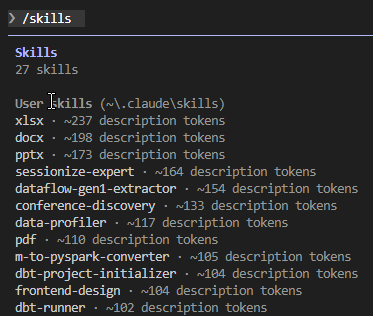
That section is roughly 300 tokens, loading every conversation regardless of whether data profiling is involved. The migration: create .claude/skills/data-profiler/, move the content into SKILL.md with the YAML frontmatter shown in the Anatomy section, delete the section from CLAUDE.md. The skill’s description (~117 tokens) replaces the full 300 tokens at startup — and the instructions only load when an agent actually needs to profile data.
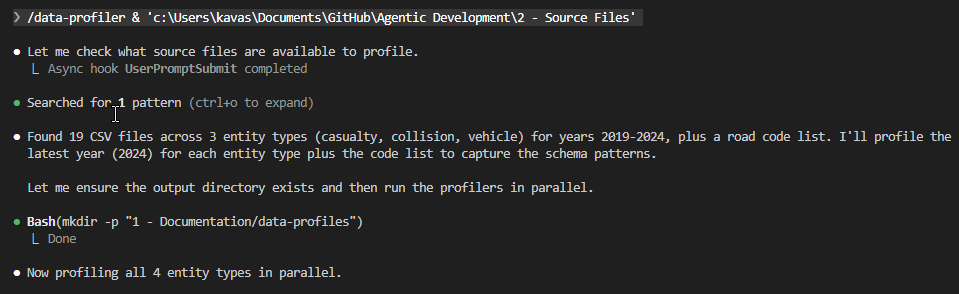
The result: every agent that invokes the data-profiler skill gets the same profiling logic, the same output format, the same test recommendations — without any of them carrying those instructions at startup.
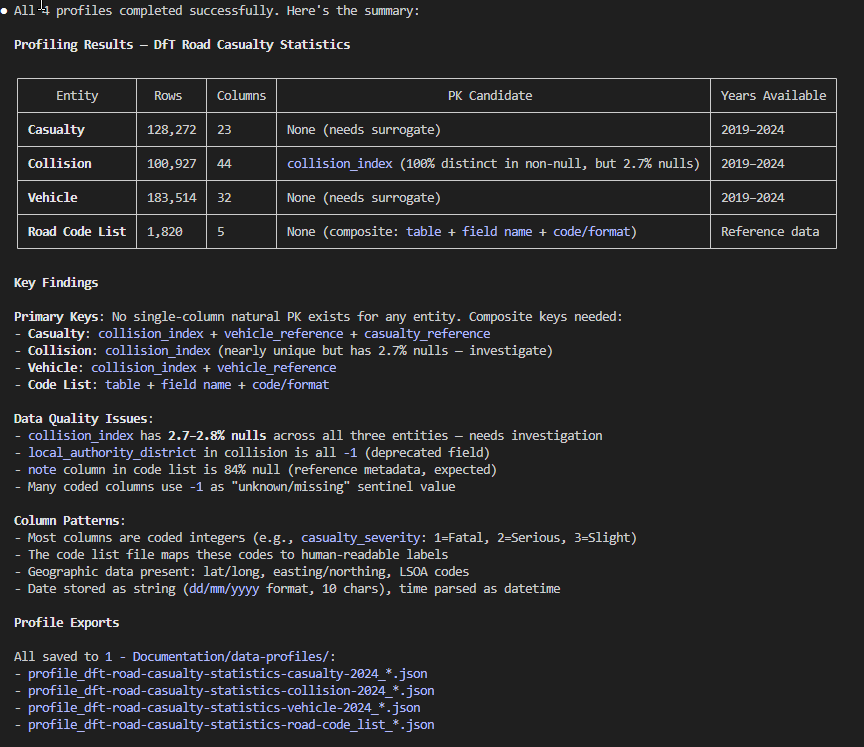
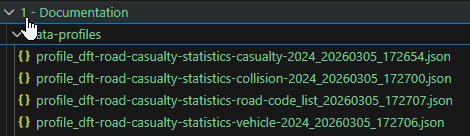
And every profile gets saved to the same location, accessible to all agents without re-profiling:
Before and After: Token Savings
I applied this same migration pattern across my project — moving the data profiling rules, blog writing template, and several other instruction blocks out of CLAUDE.md and into skills. Here’s what the startup cost looks like now:
| Before (in CLAUDE.md) | After (as skill) | |
|---|---|---|
| Data profiling rules | ~300 tokens | ~117 tokens (description only) |
| Deployment checklist | ~250 tokens | ~30 tokens |
| Code review guidelines | ~350 tokens | ~35 tokens |
| Release notes template | ~200 tokens | ~30 tokens |
| Total for these sections | ~1,100 tokens | ~212 tokens |
That’s an 81% reduction in startup overhead for these four sections alone. The full skill content only loads when you’re actually doing that type of work — skills you don’t touch stay cold.
Skill Design Principles
A few clear rules for what belongs where:
- Skills: specialized domain knowledge for a subset of your work (dbt conventions, data modelling best practices, deployment checklists); step-by-step workflows you want to invoke deliberately; templates and output formats that are token-heavy but situational
- CLAUDE.md: universal project rules; short frequently-referenced facts; meta-instructions about how Claude should behave
- Rough test: if you’d say “I only care about this on release days,” it belongs in a skill
For large reference material, keep SKILL.md under 500 lines and reference supporting files from within the skill directory.
Skills with Arguments
Skills can accept arguments when invoked. Running /fix-issue 847 substitutes $ARGUMENTS with 847 throughout the skill content; individual arguments are accessible as $0, $1, etc.
---
name: fix-issue
description: Fix a GitHub issue by number
disable-model-invocation: true
---

Fix GitHub issue $ARGUMENTS following our project coding standards.

1. Read the issue description using `gh issue view $ARGUMENTS`
2. Understand the requirements
3. Implement the fix in the appropriate files
4. Write tests covering the change
5. Create a commit following our commit message conventions
Running Skills in Isolation: context: fork
Setting context: fork runs the skill inside an isolated subagent instead of inline—combining knowledge-on-demand with context isolation. The skill content becomes the subagent’s task prompt, and results come back as a concise summary to your main conversation.
---
name: deep-research
description: Research a topic thoroughly using codebase exploration
context: fork
agent: Explore
---

Research $ARGUMENTS thoroughly:

1. Find relevant files using Glob and Grep
2. Read and analyze the code
3. Summarize findings with specific file references
4. Return a concise summary for the main conversation
Limitations
Skill descriptions consume a shared budget. Claude Code loads all descriptions at 2% of the context window (~4,000 tokens for 200K)—if you create many skills, some may be excluded. Run /context to check, and keep descriptions concise.
Skills are not magic compression. Invoking five large skills in one conversation loads all their content—savings come from not loading skills you don’t use, not from reducing the ones you do.
Auto-invocation can surprise you. Without disable-model-invocation: true, Claude may load a skill automatically when its description matches—make descriptions specific if you get unexpected invocations.
context: fork skills don’t have conversation history. Forked subagent skills start clean and need any relevant context passed explicitly as arguments.
Key Takeaways
Skills are the on-demand alternative to always-loaded memory files—only descriptions load at startup; full content loads only when invoked.
The savings come from specialization—instructions that apply to 20% of your work shouldn’t consume 100% of startup overhead.
Start by auditing your CLAUDE.md—look for blocks of specialized instructions that only apply in specific contexts; those are your skill candidates.
Design for invocation clarity—use disable-model-invocation: true for deliberate workflows, user-invocable: false for background knowledge, and default settings for knowledge you’re happy to invoke either way.
Skills and subagents are complementary—subagents reduce dynamic overhead (what work produces), skills reduce static overhead (what knowledge you carry).
Getting Started: Need Inspiration?
You don’t have to start from scratch. Anthropic maintains an open-source skills repository with ready-to-use skills you can drop into your .claude/skills/ directory. It includes a template/ folder showing the recommended structure, a spec/ folder documenting the skill format, and a growing skills/ collection contributed by the community.
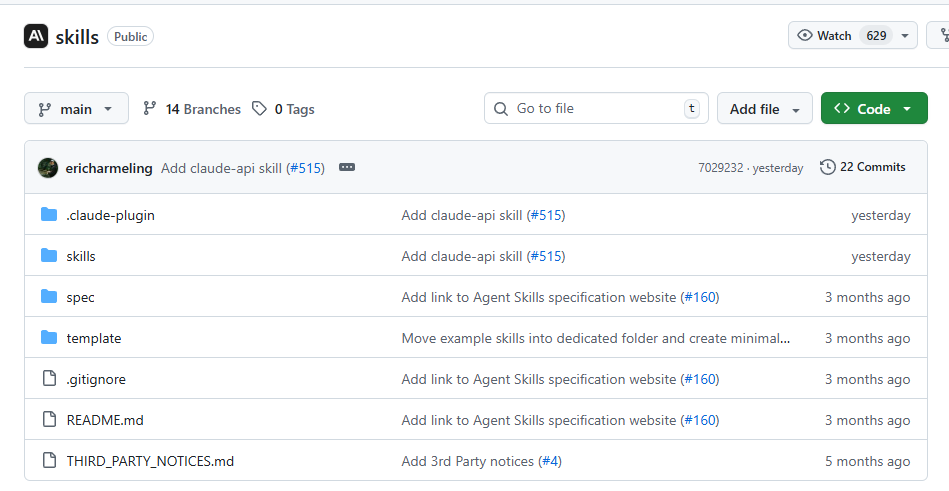
Browse the repo for patterns worth adopting — or fork it and contribute your own. If you’ve built a skill that solves a common problem (data profiling, code review, deployment checklists), others are likely duplicating the same instructions you just extracted.
What’s Next
Skills and subagents keep your context lean during work — but the instructions that load before work begins matter just as much. Part 3 covers CLAUDE.md files — the global, project, and folder-level instruction hierarchy. A bloated CLAUDE.md taxes every conversation. Part 3 shows how to split instructions across levels so each file stays focused, nothing gets duplicated, and your agent behaves consistently across every repo.
Resources
Official Documentation
- Extend Claude with Skills - Claude Code Docs
- Anthropic Skills Repository - GitHub
- Create Custom Subagents - Claude Code Docs
- Memory Files (CLAUDE.md) - Claude Code Docs
- Claude Code Best Practices - Anthropic Engineering
Previous Posts in This Series
- The Hidden Cost of MCPs and Custom Instructions on Your Context Window
- Subagents: How Delegating Work Solves the Context Window Problem
Community Resources
- Agent Skills Open Standard (agentskills.io)
- Claude Code Skills: Structure and Invocation — Mikhail Shilkov
Have you started breaking your CLAUDE.md into skills? What instruction blocks did you find were most worth extracting? I’d love to hear what works in your setup—and what surprised you about the process.

